VideoDryer
VideoDryer

Compress the videos in your Photos.

VideoDryer is an iPhone and iPad app that reduces the size of videos in Photos. Compression runs on the device: videos are not uploaded anywhere and no account is needed. The app works without a badge for the first 7 days, then adds a small one that a single purchase removes.

See it in action
  • iPhone
  • iPad
  • iOS 26 or later
  • No upload
  • No account
  • Free to download
  • Coming to the App Store

What it does

How it works

Add videos to the dryer or use Smart queue, which finds the heaviest videos and shows how much space you will free.

Before you start, each video shows its size before and after.

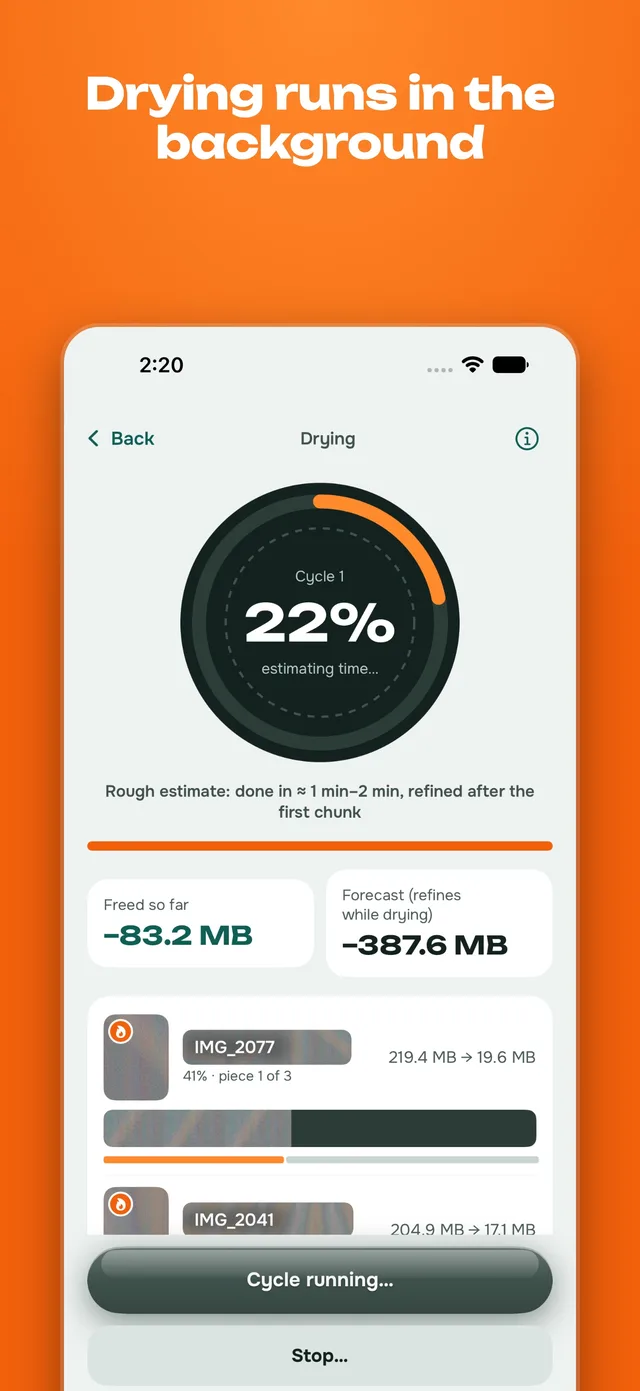
Drying runs in the background. A video is split into 10-second pieces, finished pieces are saved to disk, and stopping loses at most one piece.

The finished video appears in Photos. Videos compressed with AV1 are not accepted by Photos, so they are saved to a folder you choose in Files.

Modes

Fast: hardware HEVC, several times quicker.

Deep: AV1, slower, with a noticeably smaller file.

Choice of resolution (original, 1080p, 720p), frame rate and HDR.

"Where I watch" setting: phone or big screen.

Originals

By default, originals stay next to the compressed copies.

You can turn on deleting originals after drying. iOS asks you to confirm, and Photos keeps deleted items for 30 days in Recently Deleted.

An original is never deleted before the compressed file is assembled and checked.

Other

iCloud videos are downloaded to the iPhone first, over Wi-Fi only by default.

Share a video from Photos to VideoDryer from the Share menu.

Russian and English interface.

Price

For the first 7 days the app works without a badge. After that, new videos get a small badge in the bottom-right corner. All features stay available. A one-time purchase removes the badge from new videos permanently. It is not a subscription.

See it in action

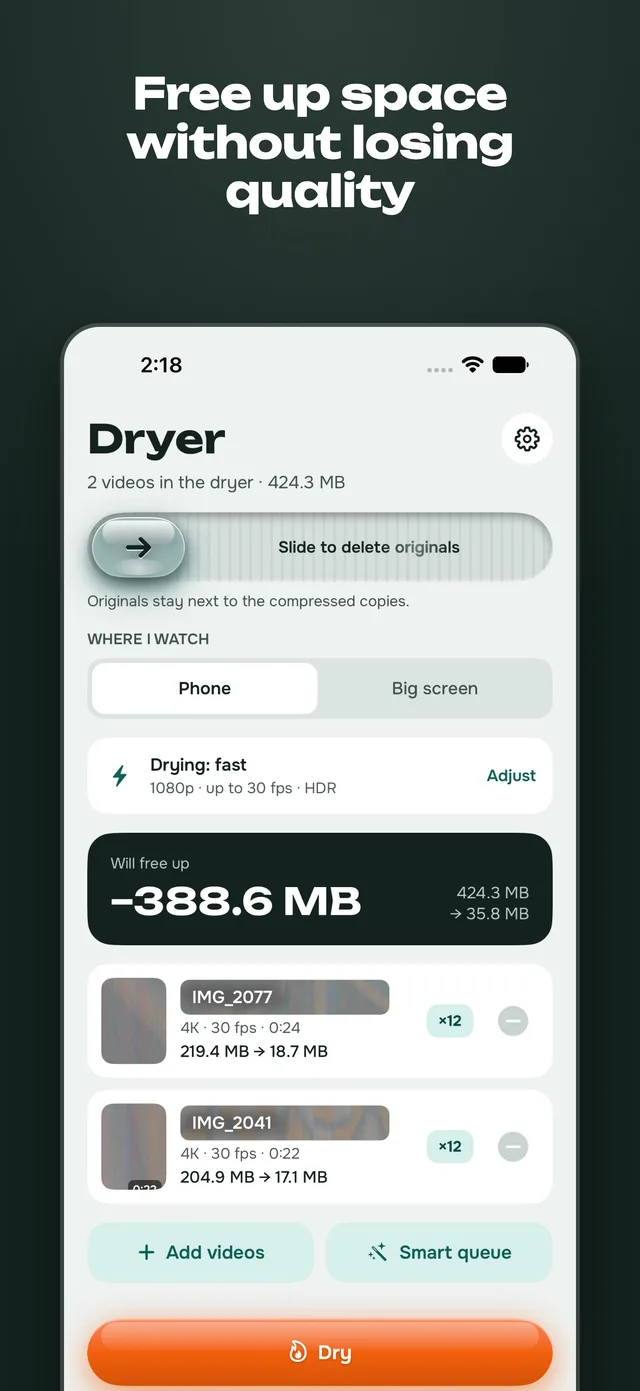
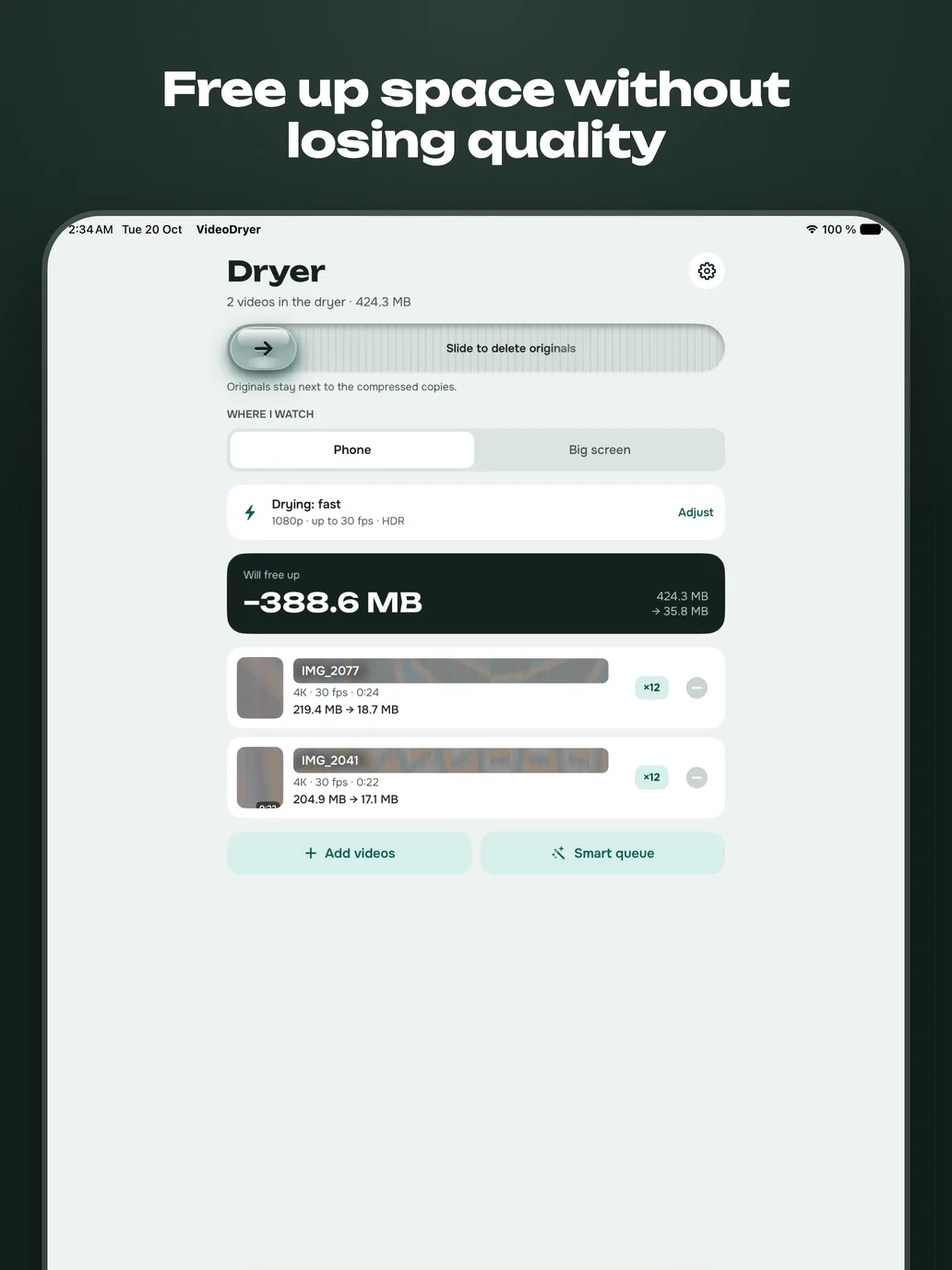
The dryer screen on an iPhone: two videos, 424.3 MB, with the planned saving of 388.6 MB and the Dry button.
Add videos, see the saving before you start.
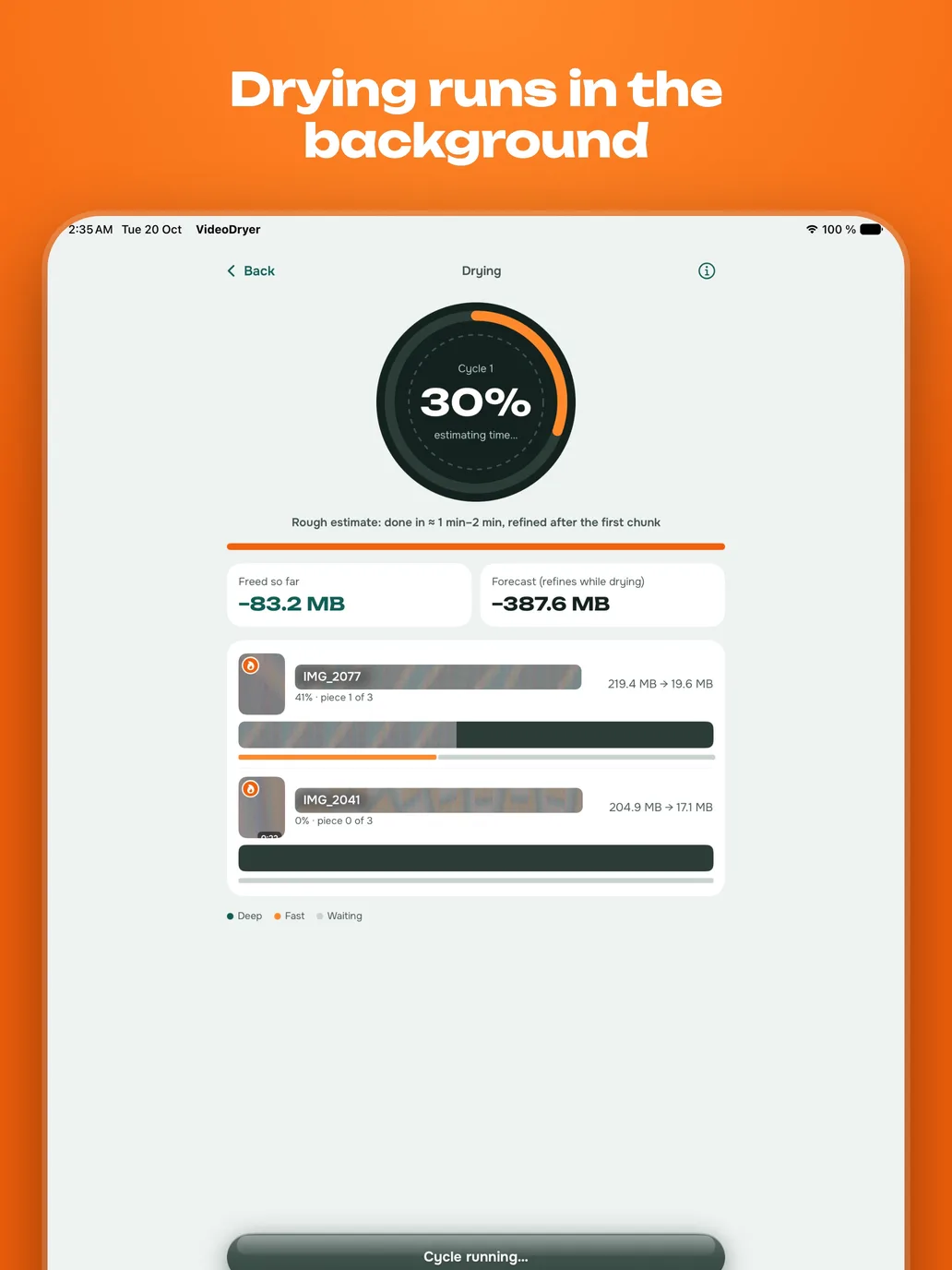
The drying screen on an iPhone: a ring at 22 percent, freed so far 83.2 MB and a list of videos with progress by piece.
Progress by piece, freed space so far.
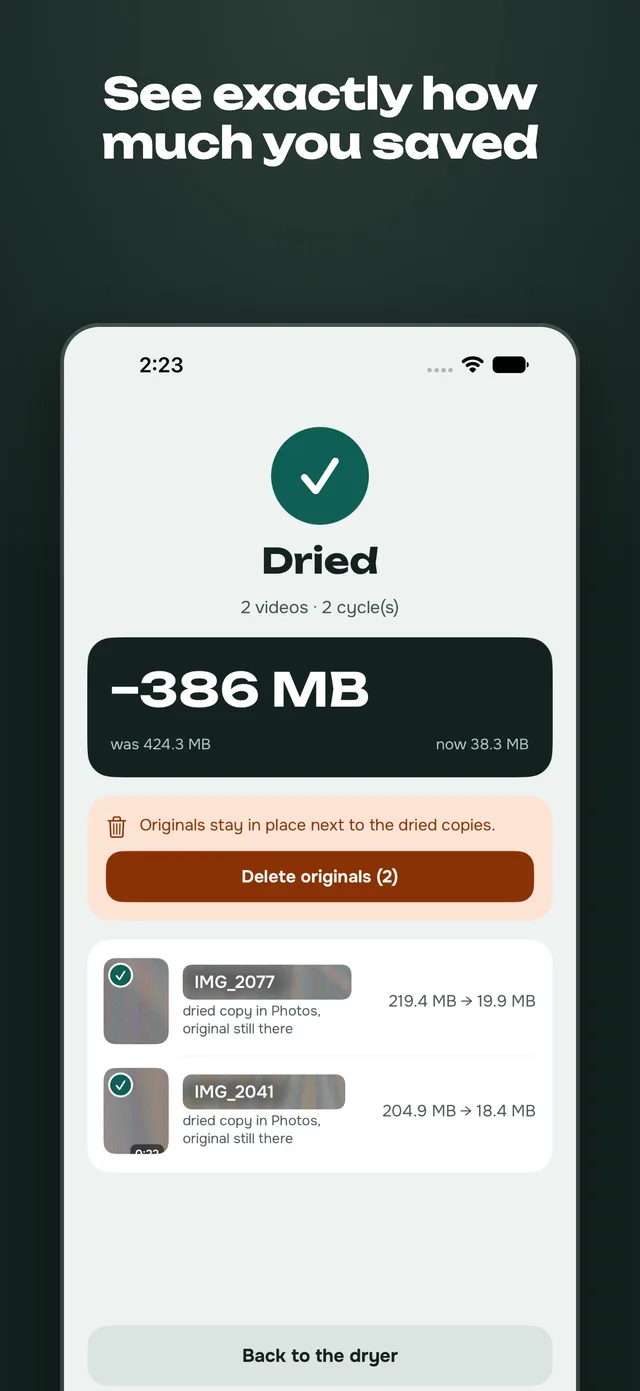
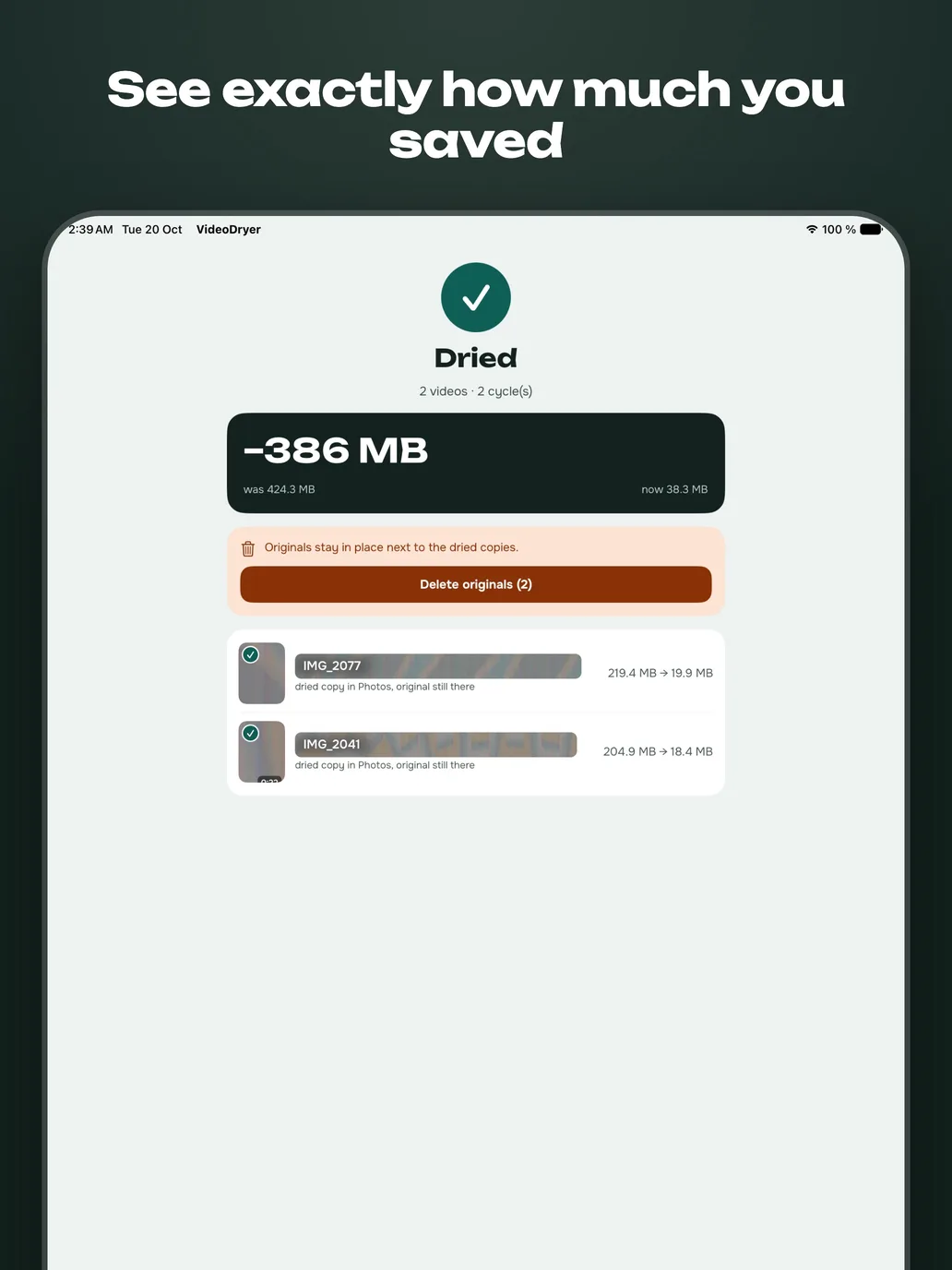
The result screen on an iPhone: Dried, 386 MB saved, from 424.3 MB to 38.3 MB, with a Delete originals button.
The result, with deleting originals as a separate step.
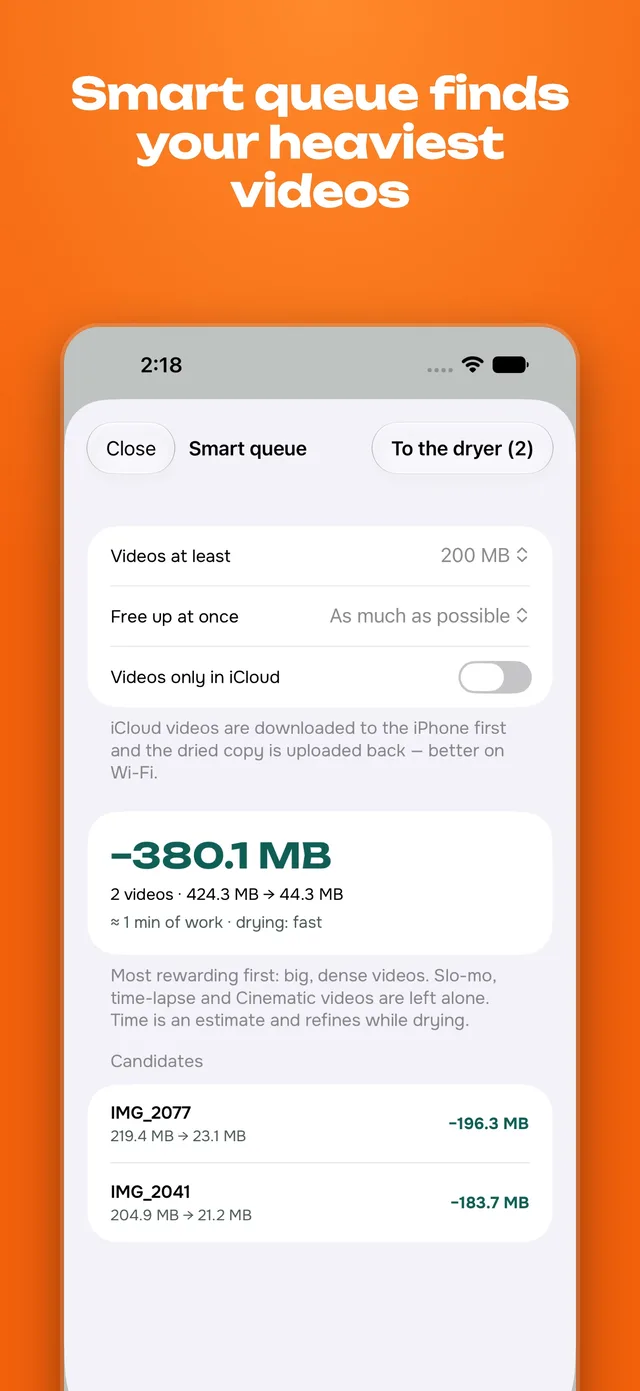
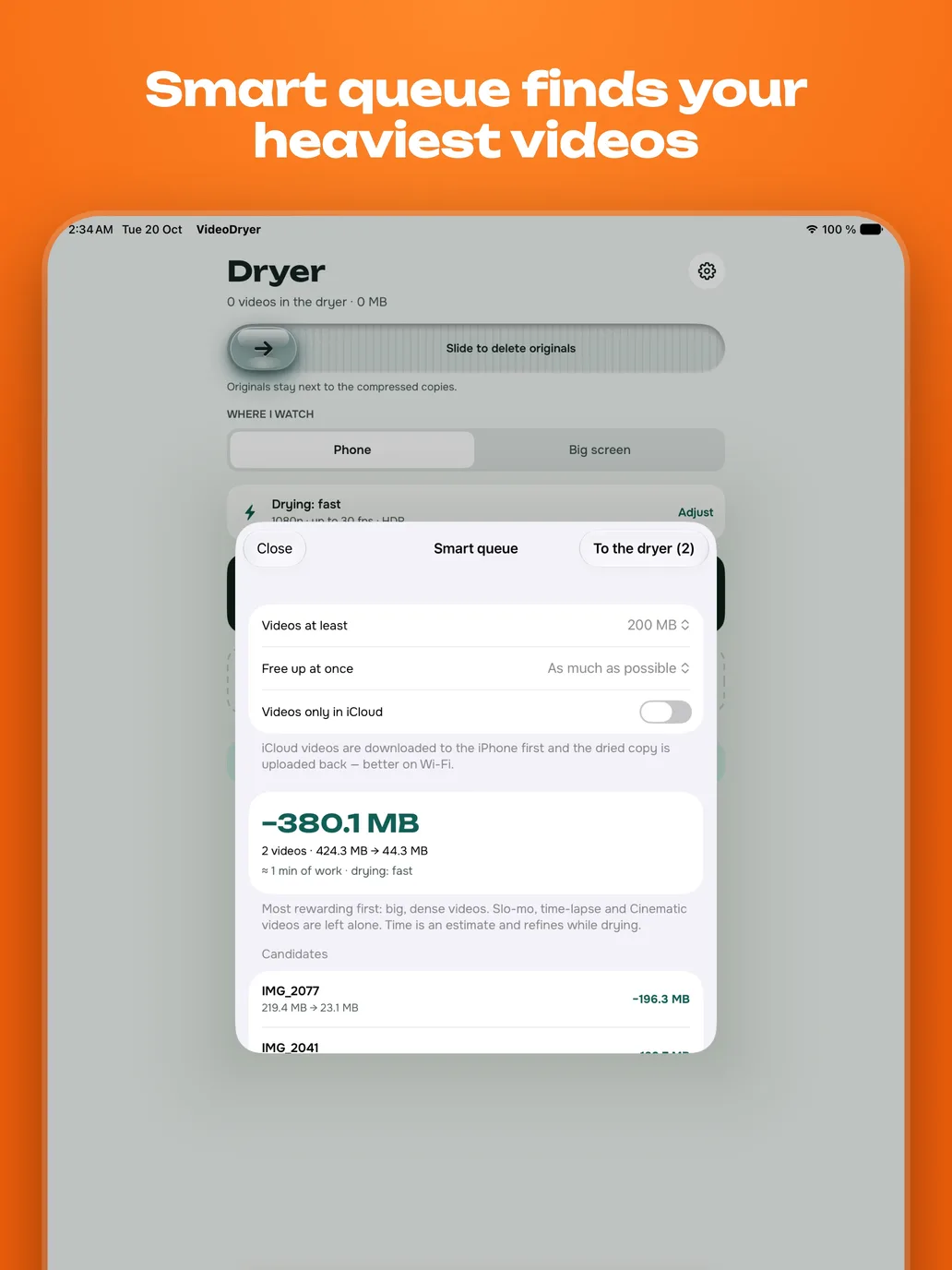
The Smart queue sheet on an iPhone: minimum size filter, a forecast of 380.1 MB and a list of the heaviest videos.
Smart queue finds the heaviest videos.

Screenshots from an iPhone 17 Pro Max and an iPad Pro 13-inch. The videos in them are test clips.

Details

Works on
iPhone and iPad with iOS or iPadOS 26 or later.
Fast mode
Hardware HEVC. Several times quicker than deep mode. Result is saved to Photos.
Deep mode
AV1 with a software encoder. Slower, noticeably smaller file. Photos does not accept AV1, so the result goes to a folder you choose in Files. The screen stays on while deep drying runs, so plug the iPhone in for long jobs.
Settings
Resolution (original, 1080p, 720p), frame rate, HDR, and “Where I watch”: phone or big screen.
Originals
Kept by default. Deleting them after drying is optional, asks for confirmation in iOS and happens only after the compressed file is assembled and checked.
Left alone
Smart queue skips Slo-mo, time-lapse and Cinematic videos.
iCloud
Videos stored only in iCloud are downloaded to the iPhone first, over Wi-Fi only by default.
Share menu
Send a video from Photos to VideoDryer with the Share menu.
Languages
Interface in English and Russian.
Price
Free to download. No badge for the first 7 days. After that new videos get a small badge in the bottom-right corner, and a one-time in-app purchase (US$7.99, local price shown in the App Store) removes it from new videos. All features stay available. It is not a subscription.
Privacy
No data is collected. No account, analytics or tracking.

Questions

What is VideoDryer?

An iPhone and iPad app that makes the videos in your Photos library smaller. It shows the size before and after for every video, compresses on the device and puts the result in Photos or in a Files folder.

Does it upload my videos?

No. Compression runs on the iPhone. The app has no server, no account and no analytics. Videos stored only in iCloud are downloaded through Photos before drying.

Is it free?

It is free to download. For the first 7 days new videos have no badge. After that a small badge appears in the bottom-right corner of new videos. A one-time purchase removes it. All features work either way.

Is it a subscription?

No. The purchase is made once, is not renewed and applies to videos dried after it.

Will I lose quality?

Compression always discards some detail. The target depends on the “Where I watch” setting, phone or big screen. Originals are kept by default, so you can compare the two files before deciding to delete anything.

What is the difference between fast and deep drying?

Fast uses the hardware HEVC encoder of the iPhone and takes minutes. Deep uses AV1 in software: it takes much longer, often hours, and produces a noticeably smaller file.

Why is the deep result not in Photos?

Photos does not accept AV1 files. They are saved to a folder you choose in Files.

What happens to the original?

By default it stays next to the compressed copy. You can turn on deleting originals after drying. iOS asks you to confirm, and Photos keeps deleted items for 30 days in Recently Deleted.

Does it work in the background?

Yes. A video is split into pieces of 10 seconds and finished pieces are saved to disk, so stopping loses at most one piece. iOS limits background time, so a long deep job may pause and continue when you return.